What’s New?
- Added Conversion Locationselection at Ad Set level:
- Instant Forms (default)
- Website
- Website and Instant Forms
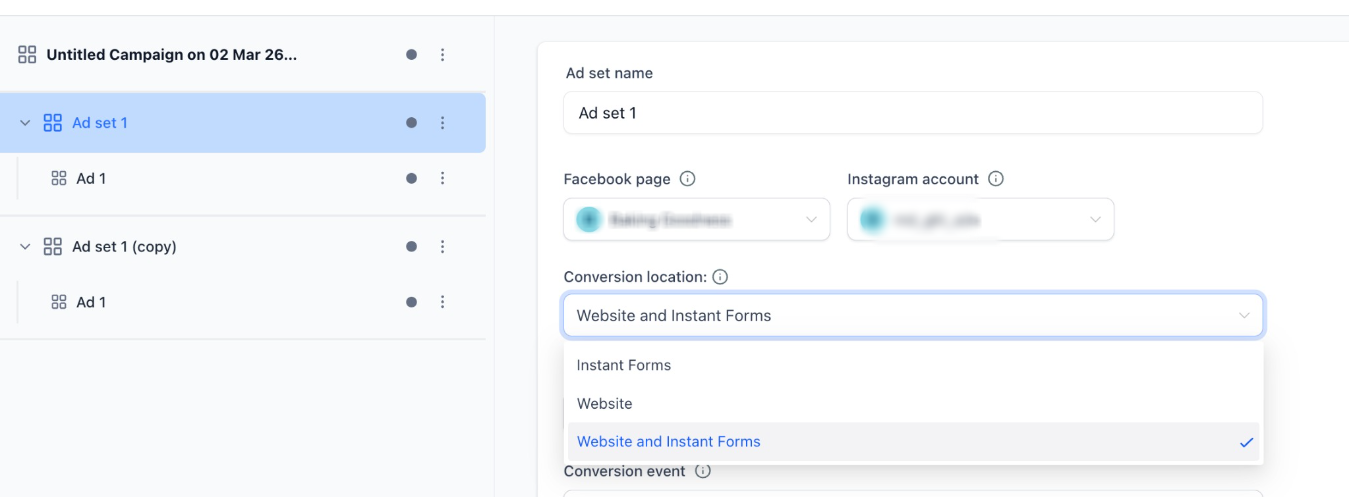
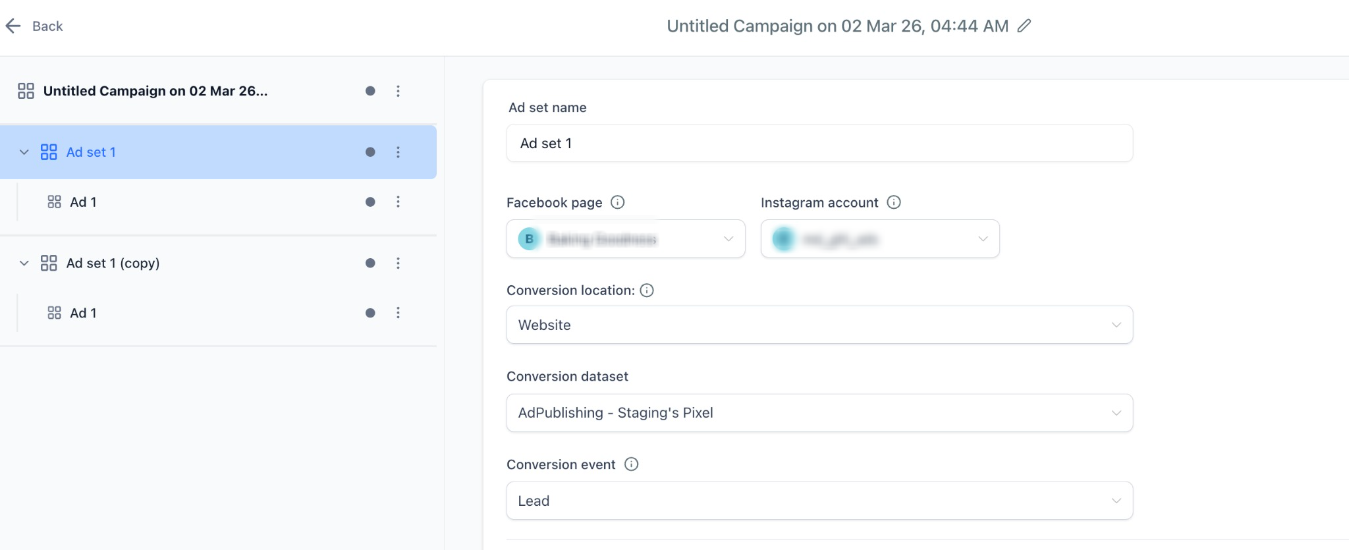
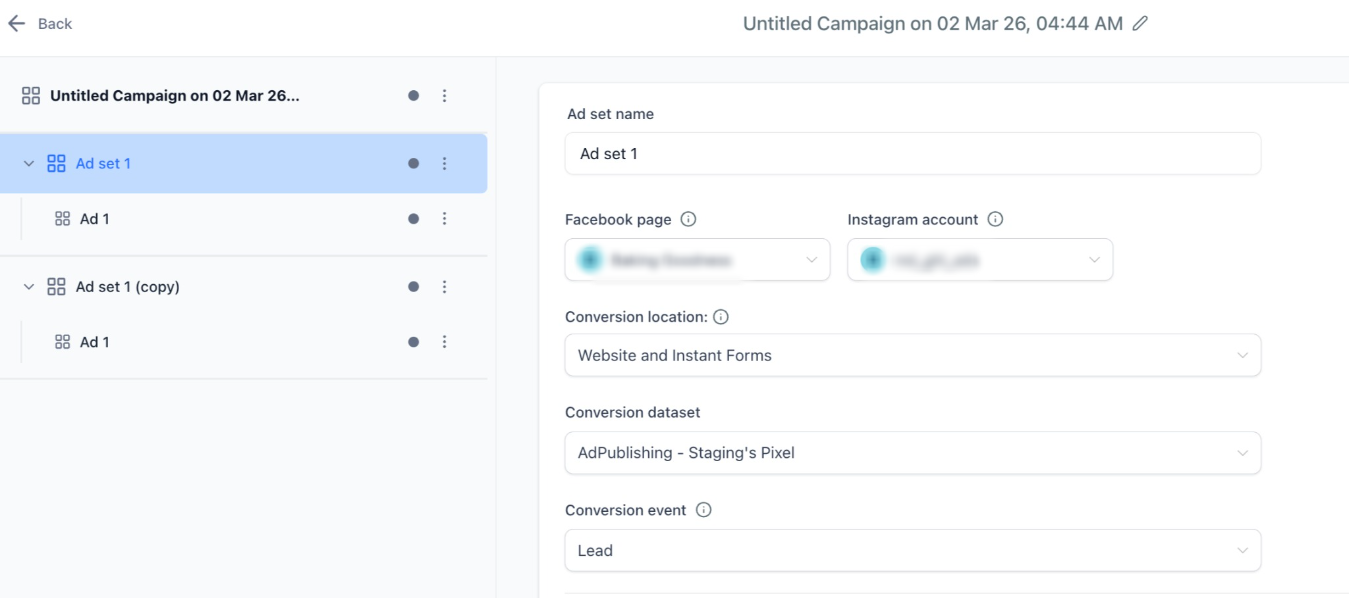
- Introduced Dataset (Pixel)selection (required for Website & Hybrid).
- Added Conversion Eventdropdown for both website and Hybrid(Instant form and Website).
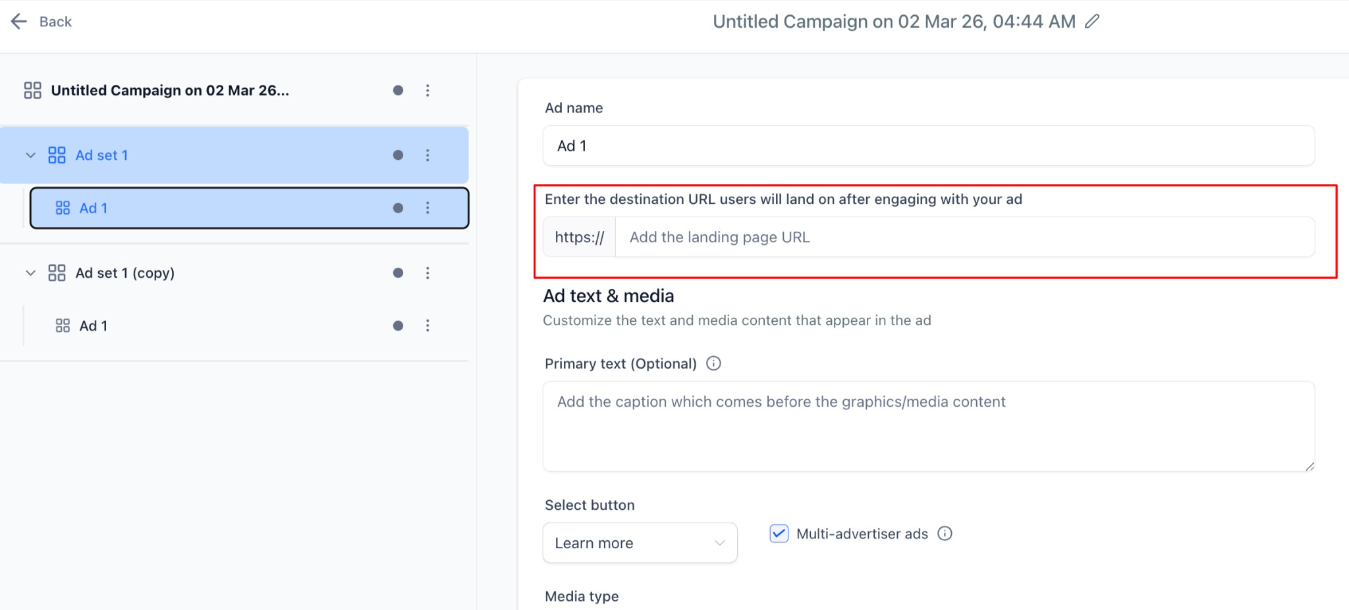
- Added Destination URL fieldat Ad level (required for Website & Hybrid).
- Hybrid support now allows both Lead Form + Website URLin the same ad.
How It Works:
- Select Objective: Lead Generation.
- At Ad Set level, choose Conversion Location:
- Instant Forms> Lead form only (existing behaviour).
- Website> Requires Dataset + Conversion Event.
- Website & Instant Forms> Requires Dataset + Conversion Event.
- At Ad level:
- Website > Destination URL required.
- Instant Forms > Lead Form required.
- Hybrid > Both required and then Meta optimises which one to show to users as per their optimisation engine rules.
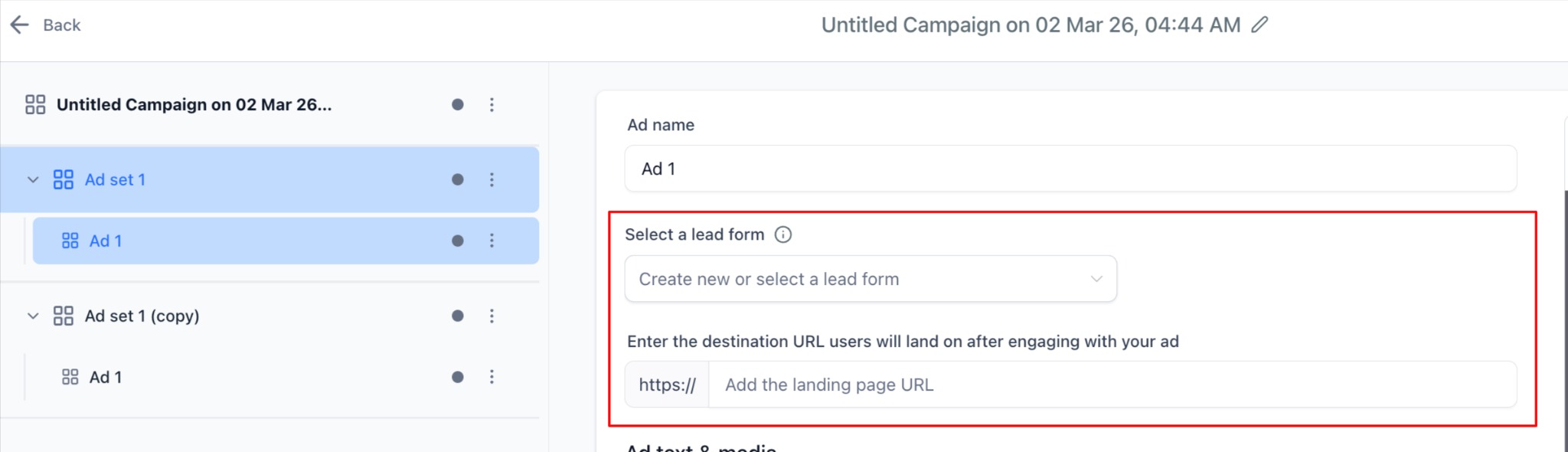
- Publish is blocked if required fields are missing.
Why It Matters:
- Brings HL closer to Meta Ads Manager parity.
- Enables website-based lead optimizationusing Pixel events.
- Supports hybrid lead collection(Website + Instant Forms).
- Improves performance flexibility for advanced advertisers.
Notes:
- Conversion Location cannot be changed after publish (Meta limitation).
- Instant Forms remains default for backward compatibility.
- Reporting adapts dynamically based on selected conversion location.
Was this article helpful?
That’s Great!
Thank you for your feedback
Sorry! We couldn't be helpful
Thank you for your feedback
Feedback sent
We appreciate your effort and will try to fix the article